
Help Centre
Need some help? Struggling with access or locker rentals? Call us on
0330 022 9646
open 24 hours
Email: emma@atmospadel.com
FAQs
-
Yes! Padel is a slower sport than tennis because of the lower compression of the ball. The walls keep the ball in play for longer, and the smaller court size all help make padel an easier sport than tennis.
-
Padel balls are slightly smaller and slightly softer than tennis balls. You should only play padel with padel balls in order to experience the game properly.
-
Yes, but it is not essential that you have played other racket sports. You can pick up a padel bat having never played any racket sports and you will still really enjoy it.
-
If the ball has bounced on the floor and then hits the glass wall or caging, you can still hit the ball, as long as the ball hasn’t bounced twice on your side of the court.
-
You can hit the ball on to the glass wall to get it back over to the other side of the court (this shot is called a boast). You cannot hit the ball on to the cage on your side of the court though.
-
No. Padel rackets are different to tennis rackets. Padel rackets are solid with holes in the middle, and do not have strings.
-
Lessons are the fastest way to improve your technique and get the most out of the game. You do not need to have lessons to enjoy the sport, but they’re a great way to learn some of the subtleties of the game.
-
Yes! You can smash the ball on to the opponent’s side of the court so hard that it bounces out of the court. Until the ball bounces twice, it is still in play even if the ball is technically outside of the walls of the court! You can still lob it back into the court if you’re good/fast enough!
-
No. Once the ball has bounced twice, the rally has ended.
-
No sport is completely risk free, and injury is always a possibility. But padel is not a contact sport, and the rackets have wrist straps on them to eliminate risk of one slipping out of your grip. I have never been injured playing padel (touch wood!).
Book Your Courts and Sessions with Playtomic
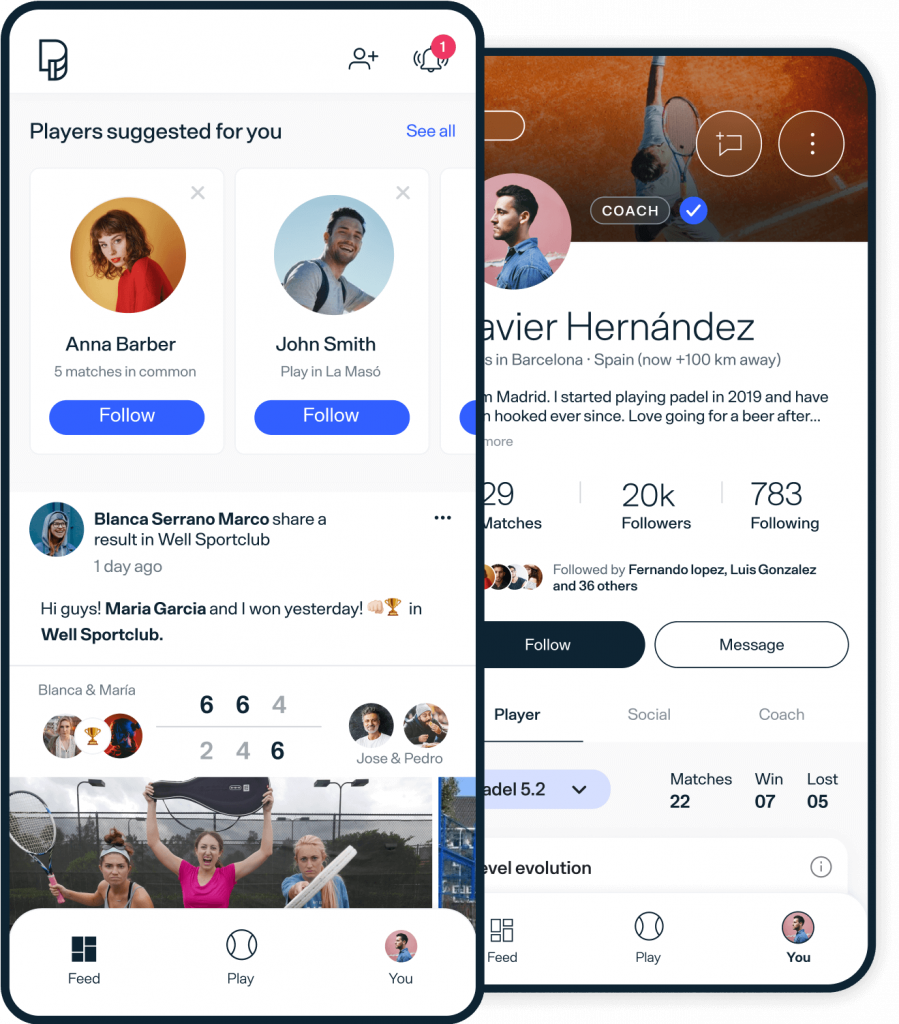
We’ve partnered with Playtomic - the world’s #1 padel app to make your booking experience the best it can be.
You can book courts, sign up for sessions, and buy memberships with ease. Click below to download the app.


Getting Started with the Playtomic App
Download the Playtomic App: Available on the App Store and Google Play. This app is your gateway to booking courts at Atmos Padel.
Create Your Profile: Sign up using your email and phone number. Remember to verify your email to activate your account.
Set Your Skill Level: Answer a few questions to determine your initial Padel skill level, which adjusts as you play more games.
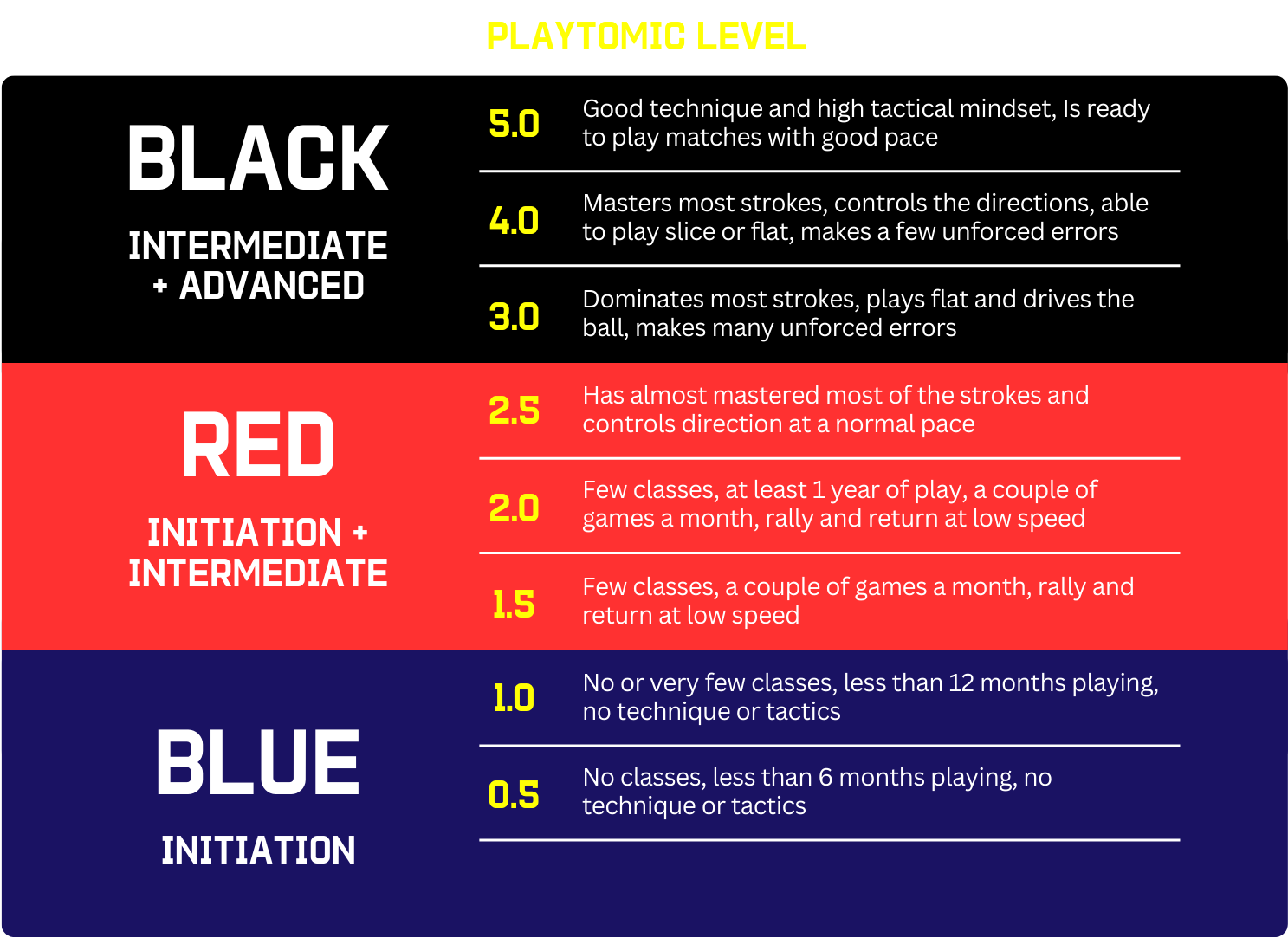
Playtomic Levels
Once you’ve created an account, it’s easy to book a court on Playtomic. You can also book via your desktop browser if you would prefer.
How to book a court
Select Book a court on your Homepage
1.
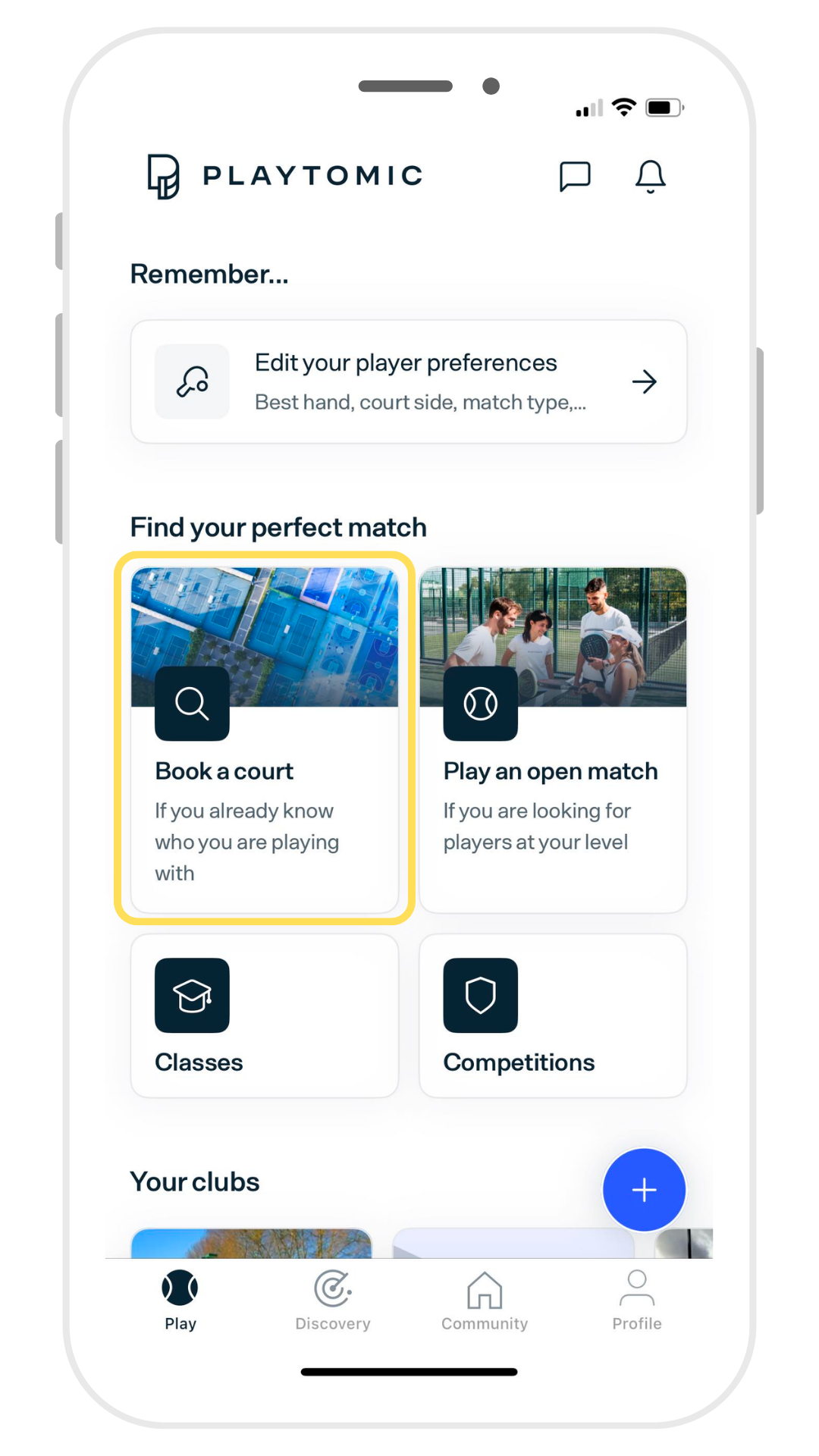
Search for Atmos Padel and select your club
2.
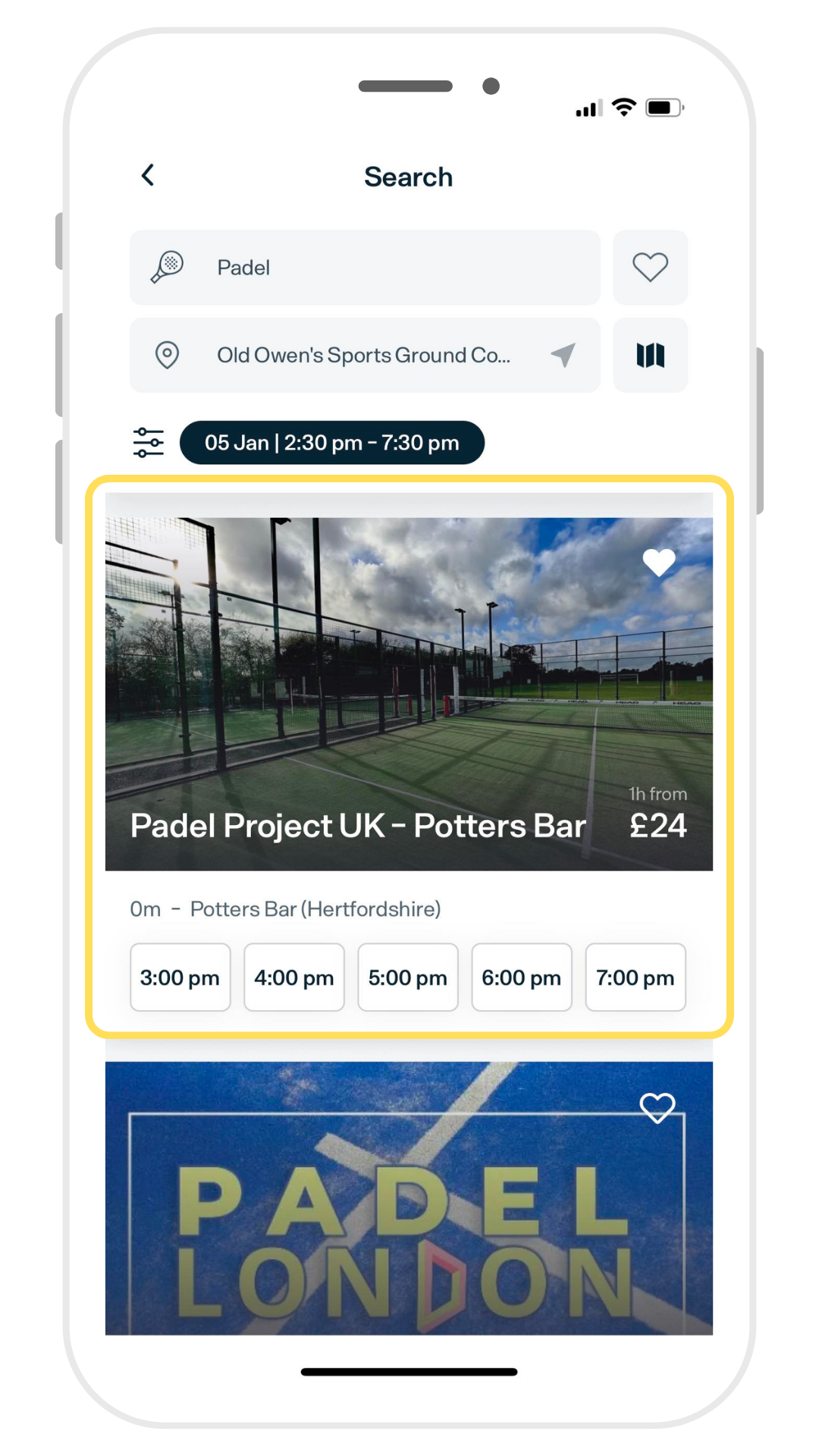
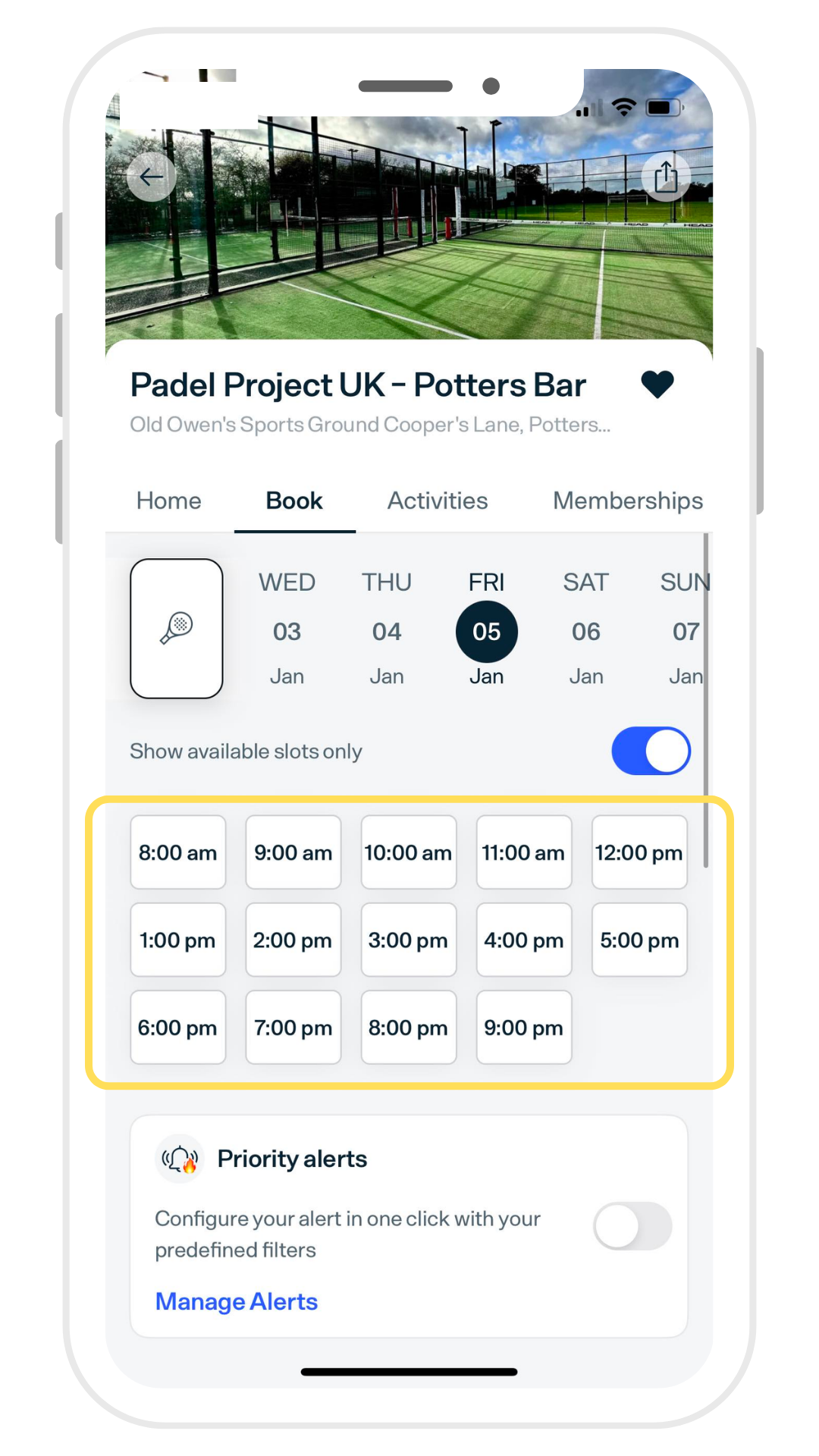
Select your preferred time slot
3.
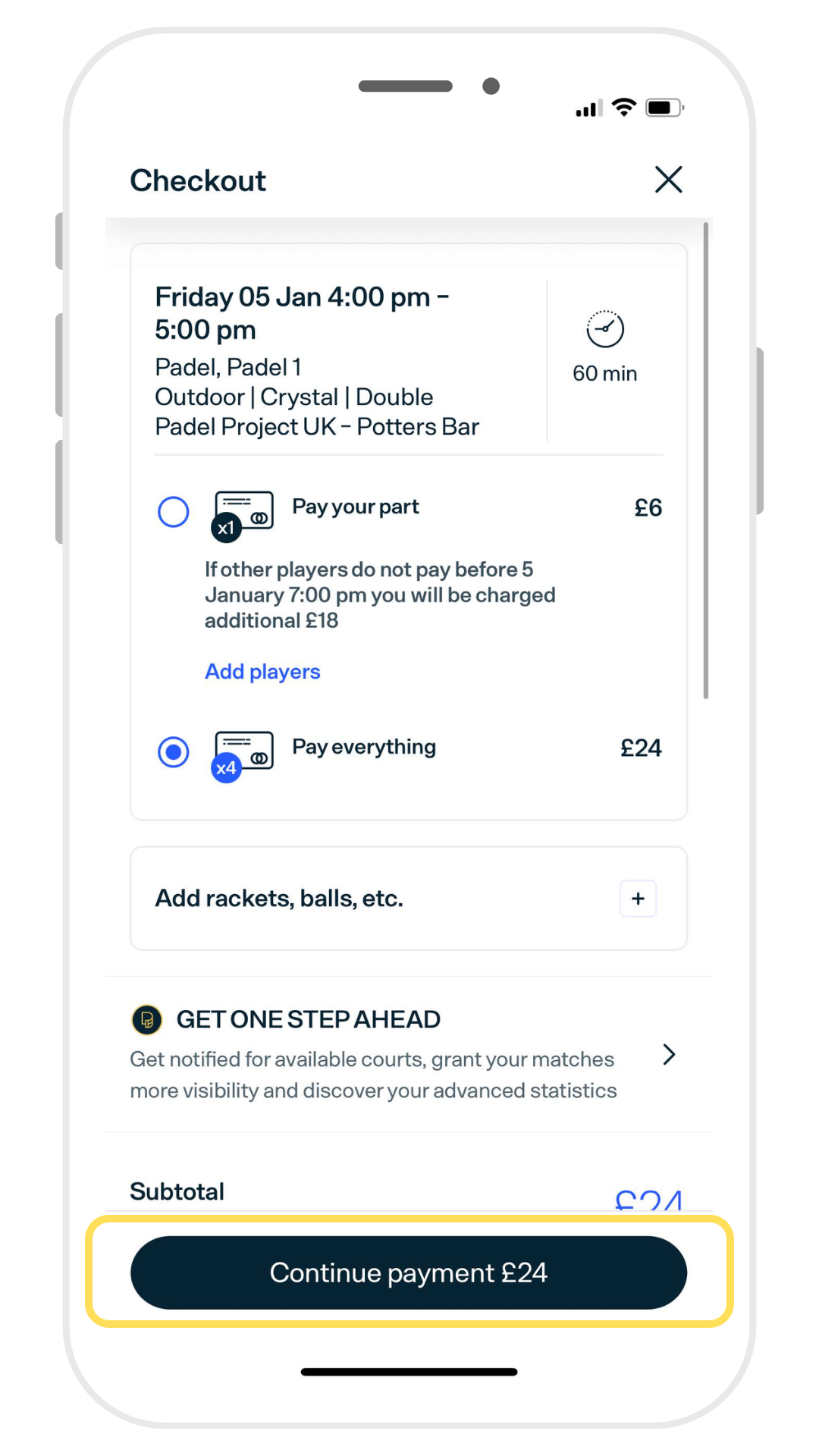
Complete payment at checkout
4.
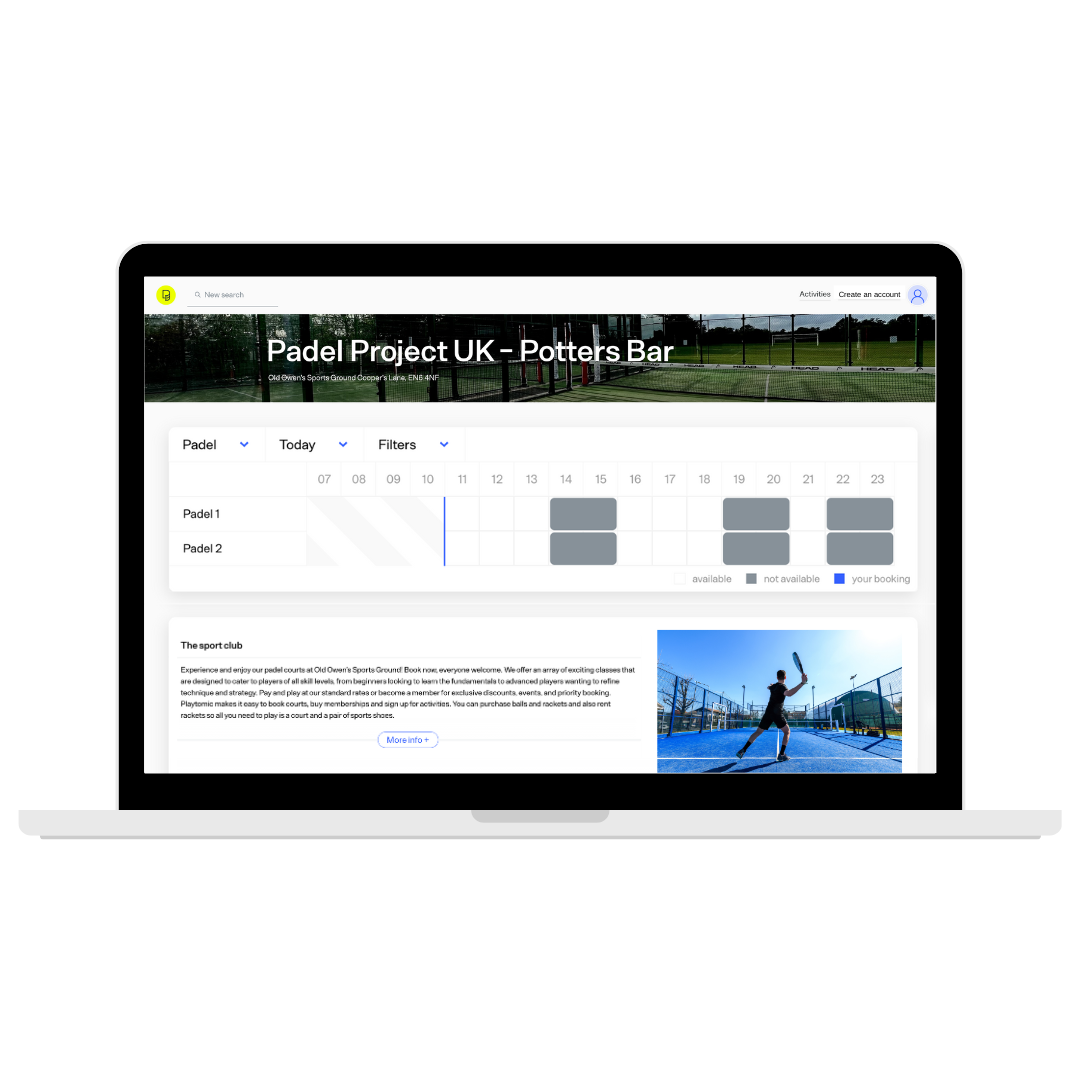
Want to book on Desktop?
You can also book a court on desktop via the Playtomic website, but you won’t be able to book coaching sessions. Just click below to get started.
How to book a Session
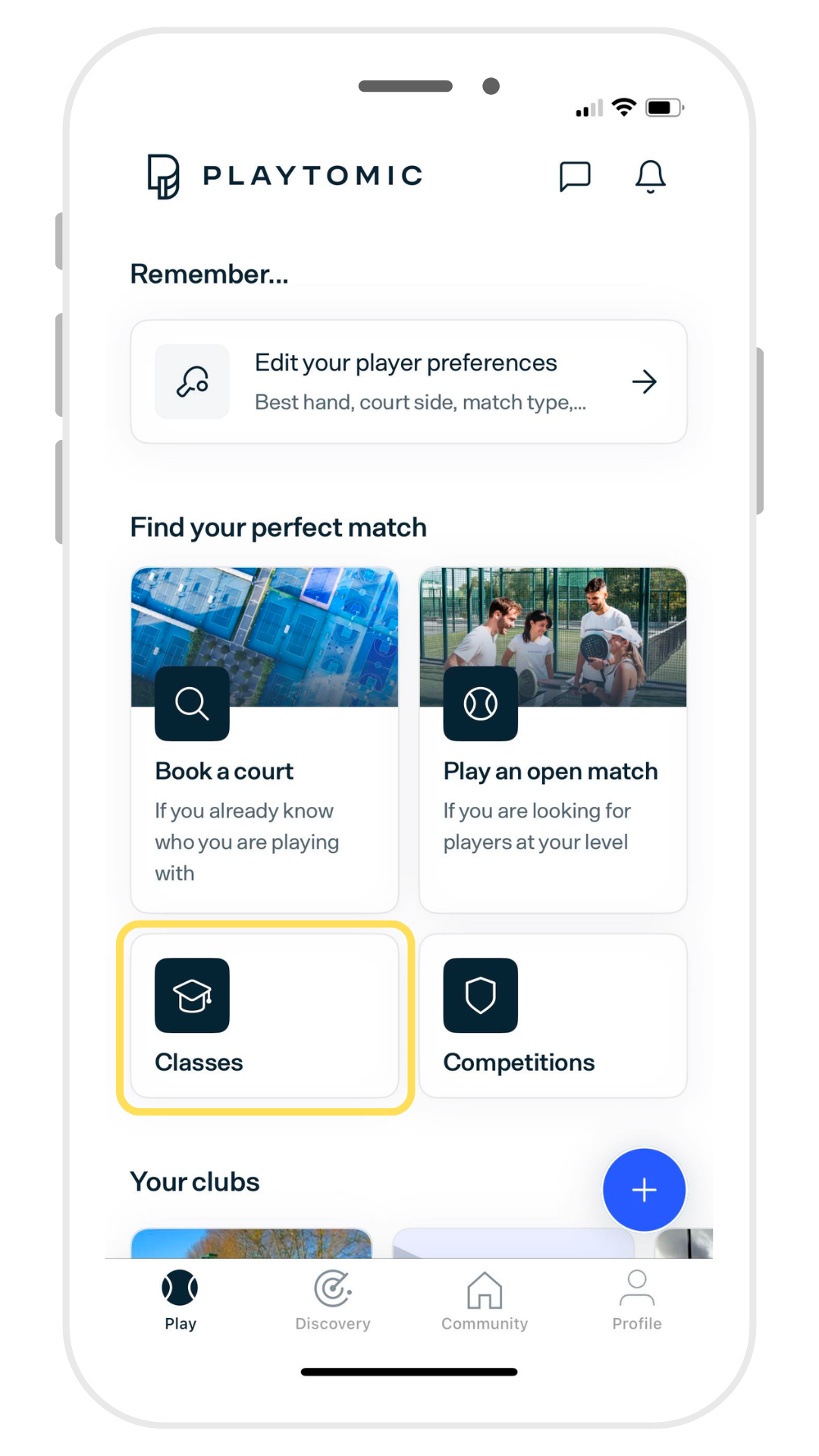
To book a session, you need to go to the Classes section of Playtomic. Note that this is different from the Activities section which is for tournaments.
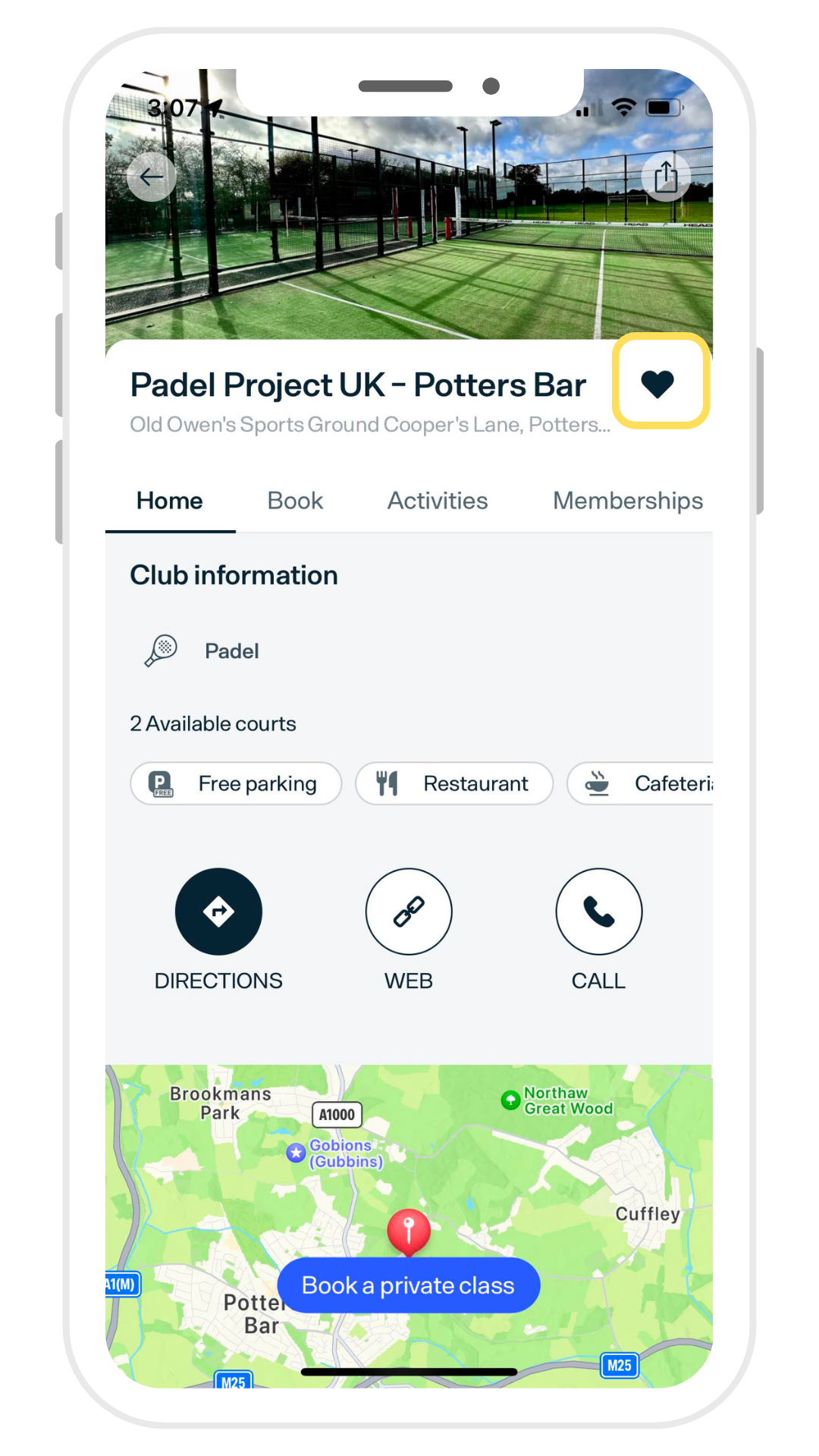
First, make sure you’ve favourited your Padel Project UK club
1.
Then select Classes from the Playtomic Menu
2.
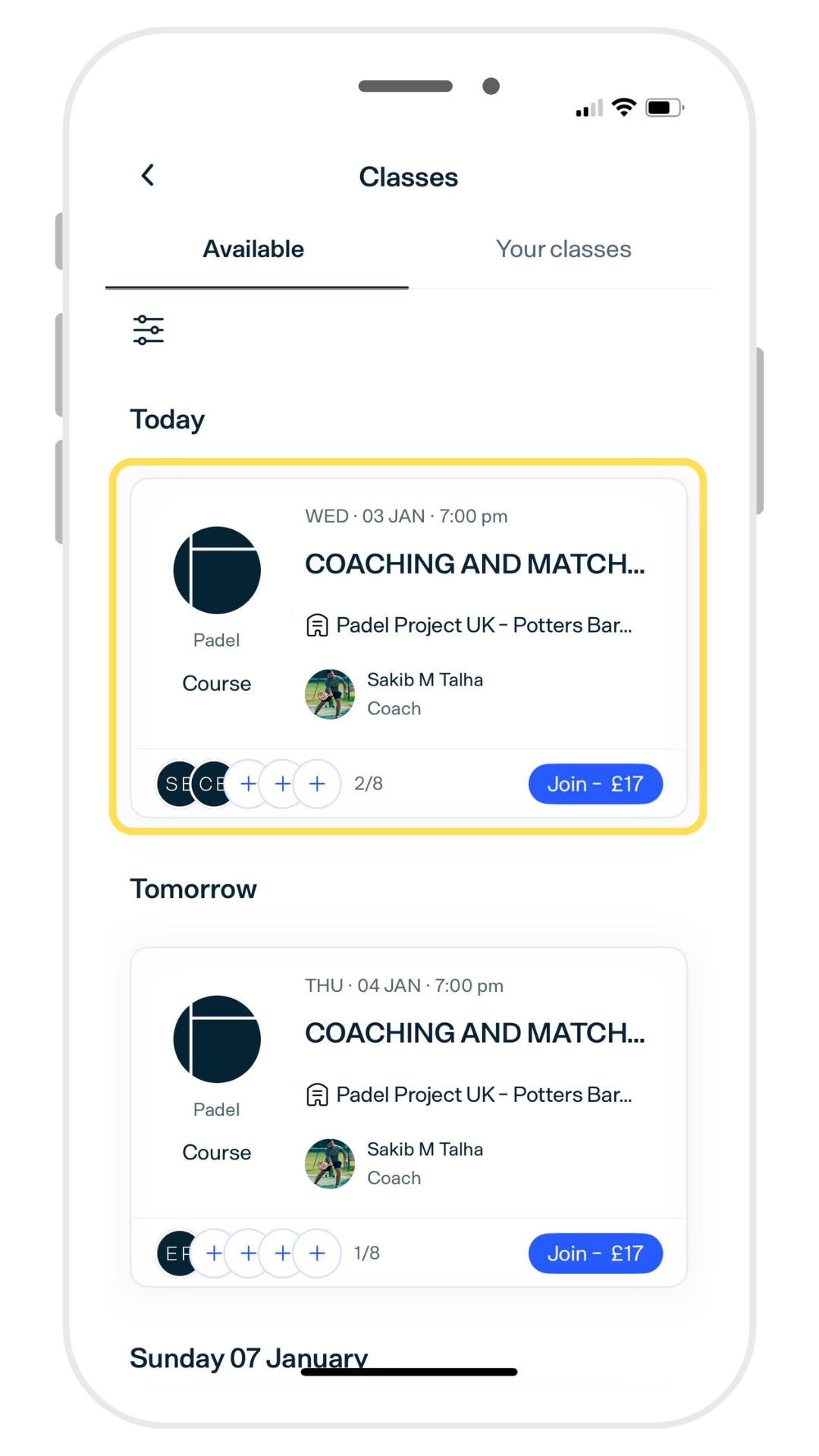
Select the session you want to join
3.
Complete payment at checkout
4.
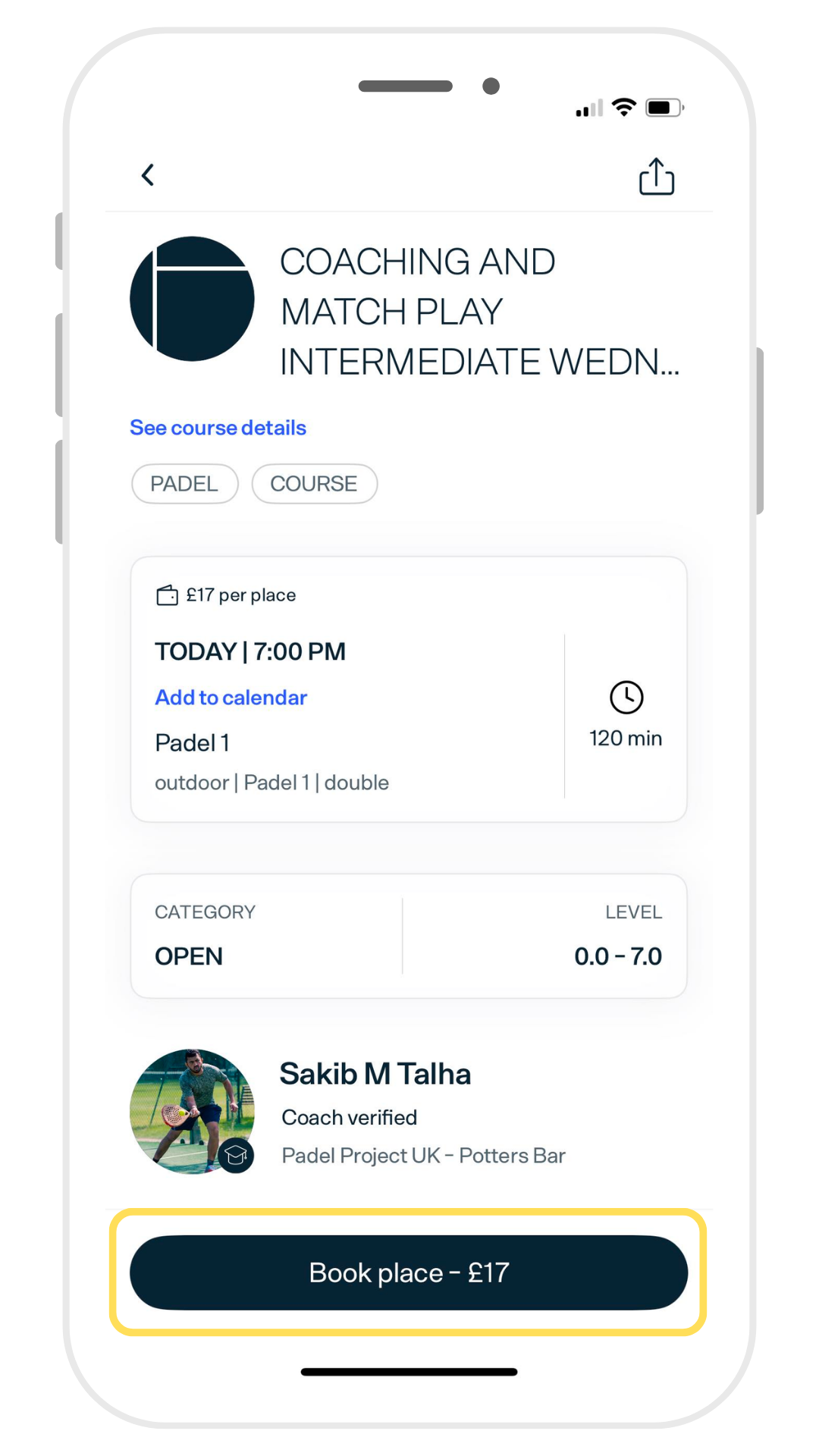
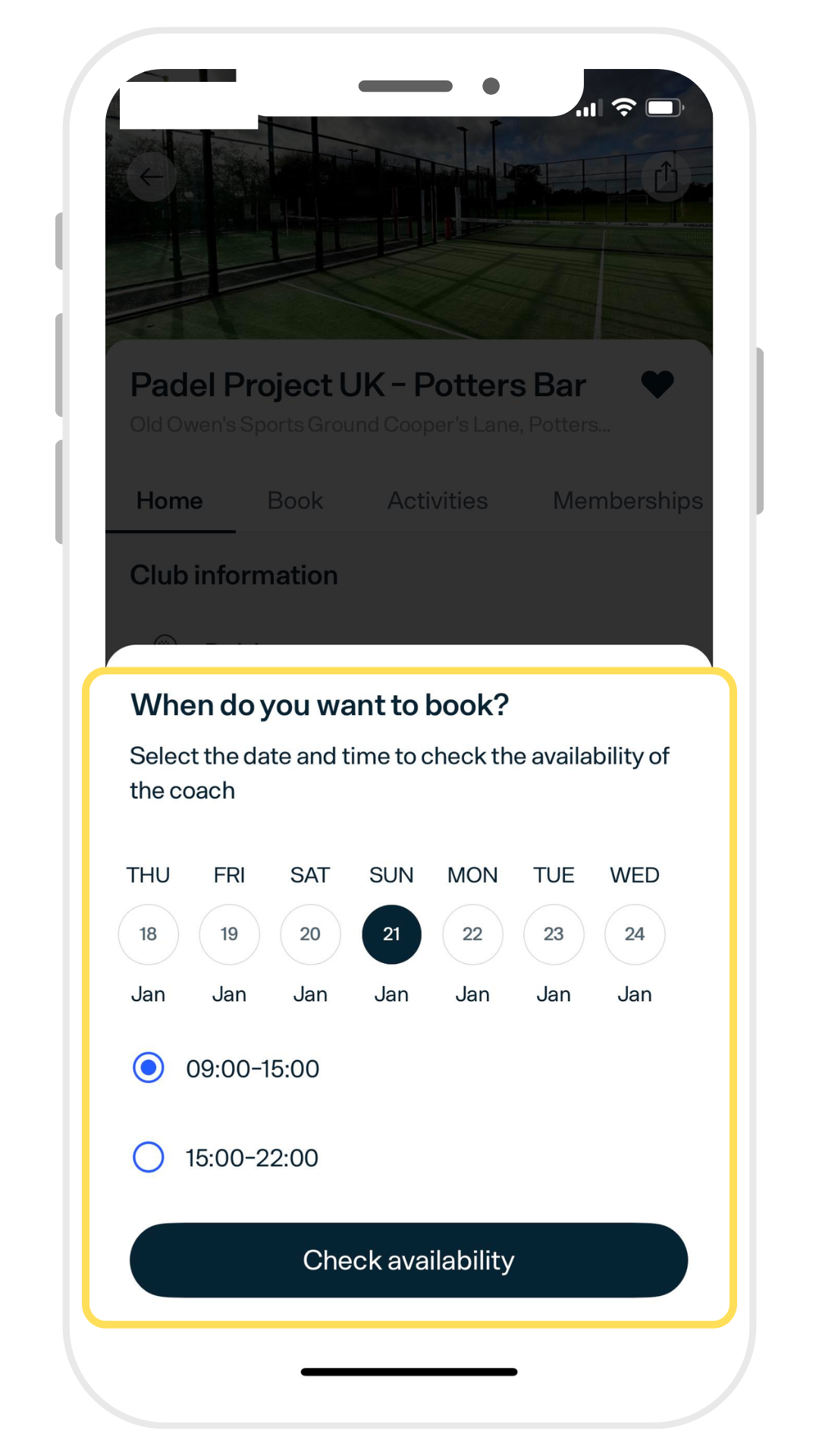
How to book a Private session
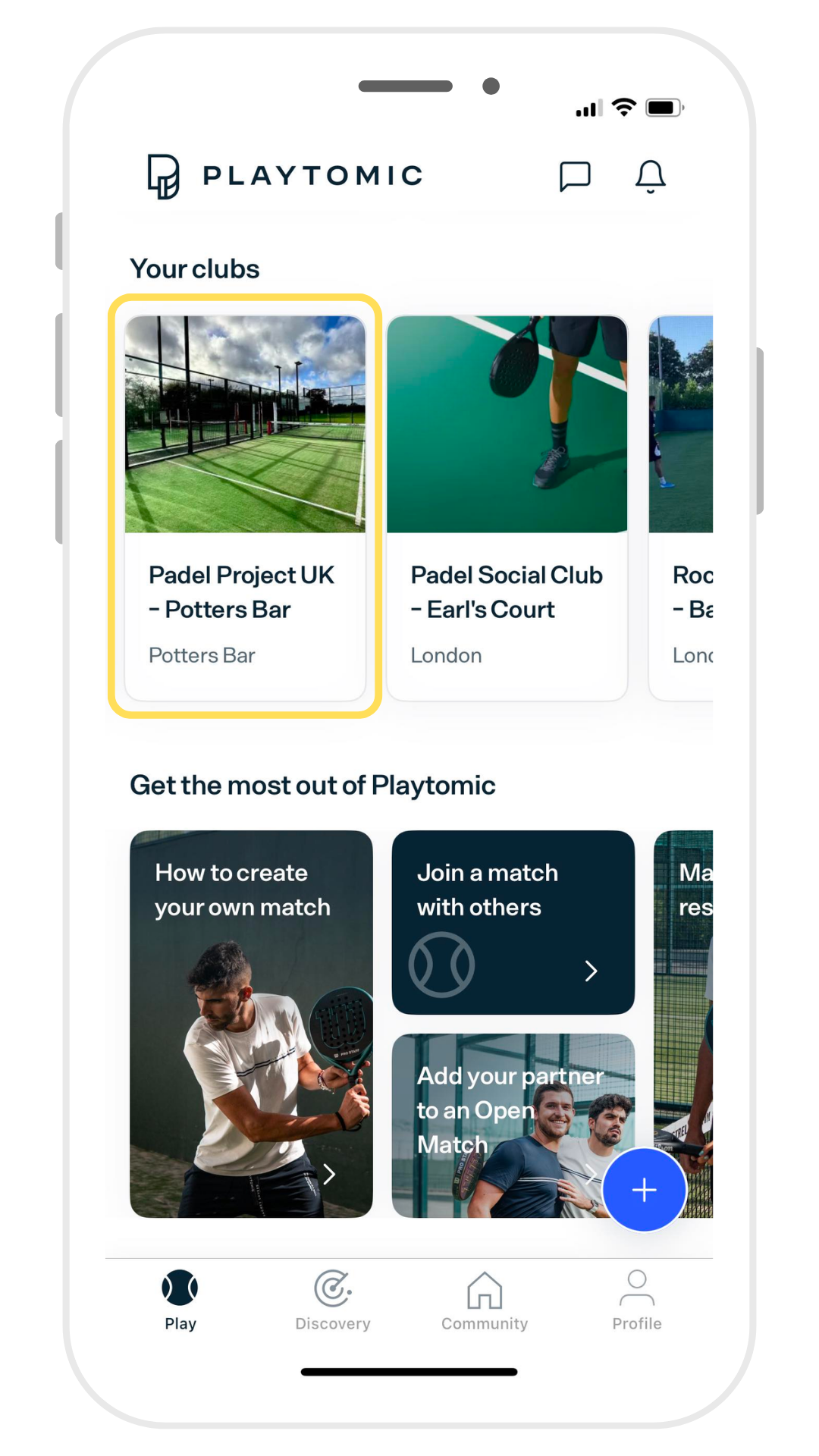
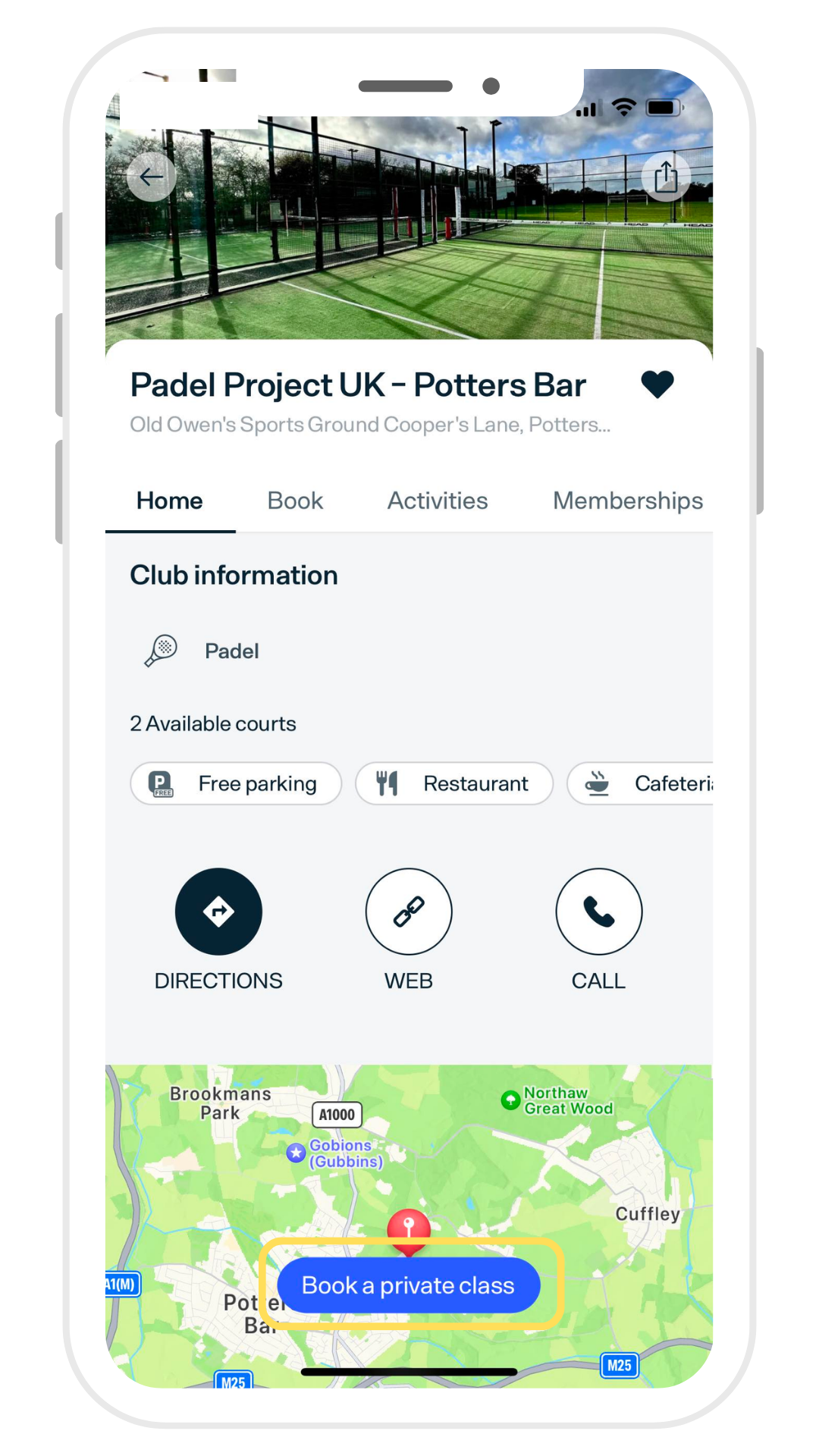
To book a private one-to-one session with a coach, you need to go to the club page and click the “book a private class” button.
Favourite your Padel Project UK club and select it from the home menu
1.
Press the Book a private class button
2.
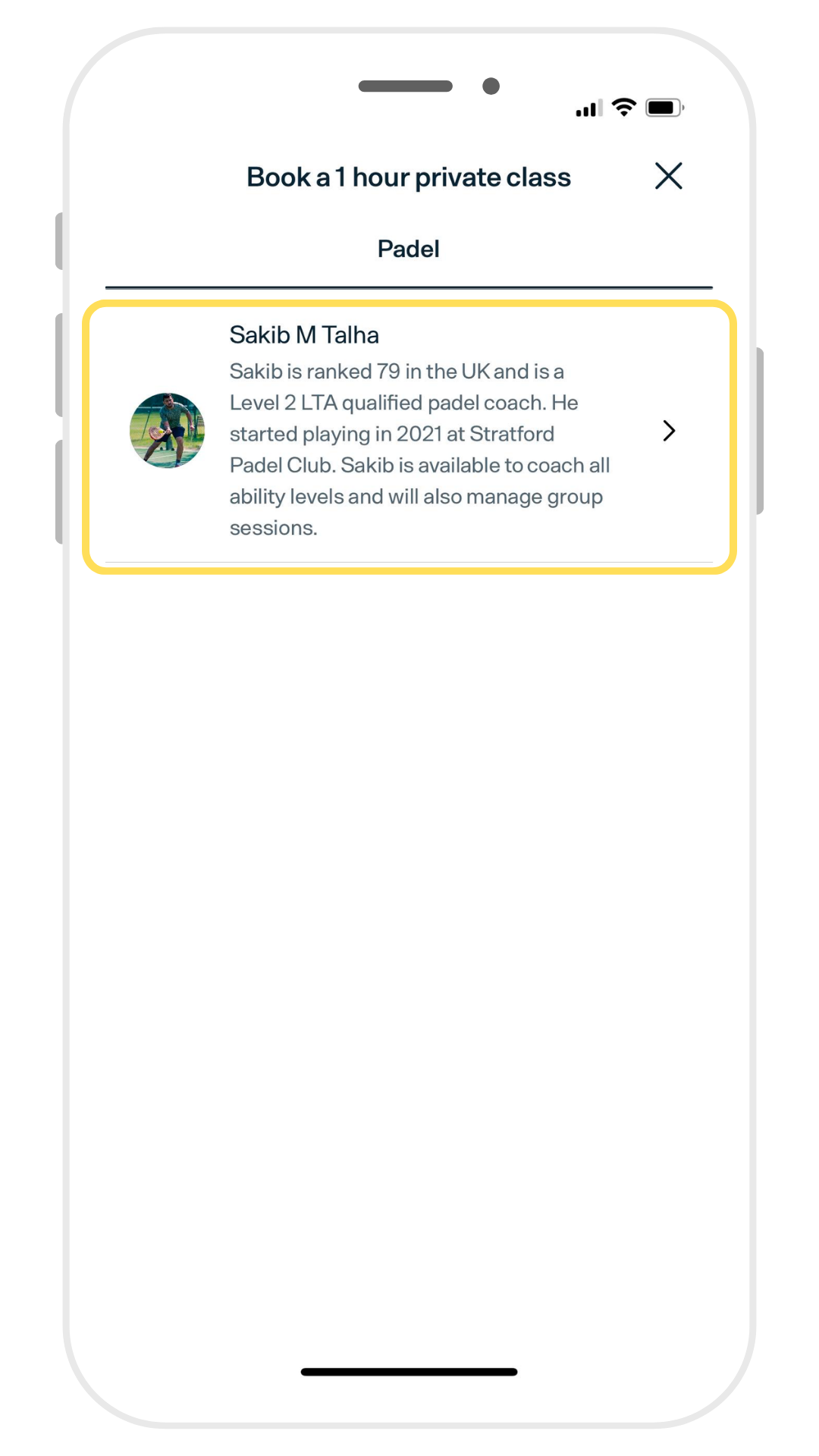
Select your preferred coach
3.
Check the availability and continue to checkout
4.
Still Need Help?
If you still can’t find what you’re looking for, just get in touch with us and we’ll get back to you as soon as possible.